There is no strong evidence that simply shipping updates more often boosts rankings by itself. Updates matter for ASO indirectly: on iOS, most metadata changes require a new version, releases can improve stability and ratings, release notes can build trust, and ratings resets are tied to versions. A steady release cadence that bundles meaningful improvements, metadata tests, and creative refreshes helps ASO more than frequent empty updates.
The myth of update-driven rankings
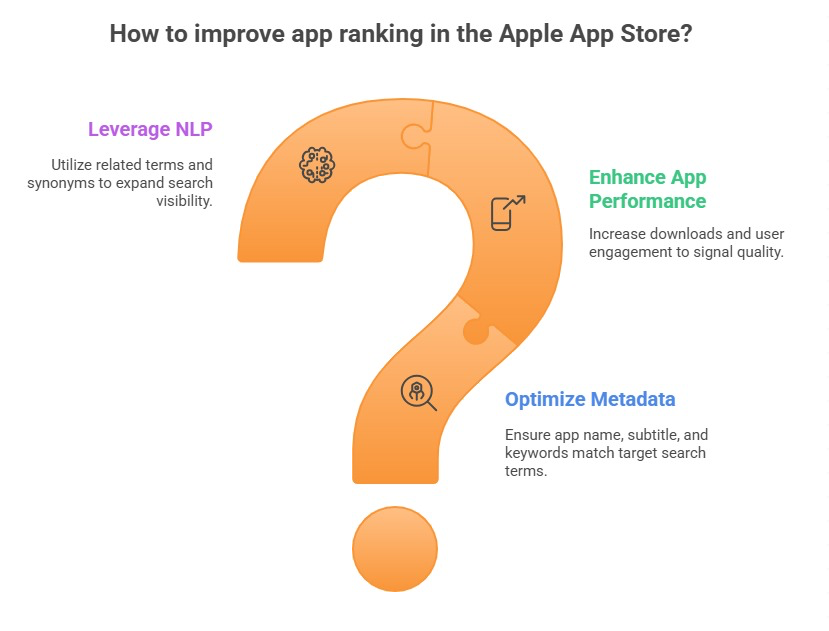
A common belief is that stores reward frequent updates with higher rankings. Neither Apple nor Google states that update frequency is a direct ranking factor. Apple describes text relevance and user behavior, such as downloads and ratings, as factors in App Store search. Google emphasizes relevance, quality, and engagement signals.
Updates can still influence rankings through these signals. A release that fixes crashes can improve ratings and engagement; a release with better metadata can improve relevance. The update is the vehicle, not the cause. Our App Store ranking factors guide explains the factors in more detail.
Metadata changes and versions on iOS
On the App Store, the app name, subtitle, keyword field, and screenshots can only change with a new version submission. Promotional text can change anytime. That means your release cadence determines how often you can test metadata on iOS. Teams that ship monthly can iterate metadata monthly; teams that ship quarterly are slower.
Plan metadata tests alongside releases. Our promotional text guide explains using the field you can change anytime for timely messages between versions.
Google Play listing changes
On Google Play, store listing text and graphics can be changed without releasing a new app version, though changes are reviewed. That gives more flexibility to iterate metadata independently of releases. App updates still matter for stability and features.
Our Google Play keyword optimization guide explains how listing changes affect relevance.
Stability, ratings, and releases
Releases that fix bugs and crashes improve ratings and engagement, which support visibility. Releases that introduce bugs can quickly damage ratings, especially on Google Play where recent ratings carry more weight. Release quality matters more than frequency.
Use staged rollouts to catch problems early, as described in staged rollouts and ratings protection, and see why crash rate is an ASO metric.
Ratings resets and versions
On iOS, you can choose to reset your summary rating when releasing a new version. This can help after a major improvement that fixes problems dominating the old rating. Resets are tied to versions, so release planning and ratings strategy are linked.
Our iOS ratings reset guide explains when a reset makes sense, and how app ratings are calculated explains differences between the stores.
Release notes as a trust signal
Release notes show users that the app is actively maintained and improving. Specific notes about fixes and features build trust; generic notes such as bug fixes and improvements waste the opportunity. Recently updated apps can also feel safer to users comparing options.
Our release notes and What's New guide explains writing notes that support retention and conversion.
Choosing a release cadence
A predictable cadence, such as every two to four weeks for active apps, balances iteration speed with quality. It lets you bundle features, fixes, metadata tests, and creative refreshes into planned releases. Very frequent releases can strain QA and annoy users with constant updates; very infrequent releases slow iOS metadata testing.
Our ASO sprint planning for small teams guide explains aligning ASO work with development cycles.
Seasonal and event releases
Align some releases with seasonal moments and events, such as holiday features or new content, and refresh creative accordingly. Apple's in-app events and Google Play's promotional content can highlight these releases in the stores.
Plan event releases early to allow time for review, as covered in our guide to app review times.
Measuring release impact
Annotate every release in your analytics and ASO tools. Compare rankings, impressions, conversion, ratings, and crash rates before and after. Separate effects of metadata changes from product changes where possible by not changing too much at once.
Our ASO experimentation roadmap explains planning tests that produce clear learning.
Common release cadence mistakes
Shipping empty updates to game the algorithm wastes effort and annoys users. Another mistake is changing metadata, creative, and features all at once, making attribution impossible. Teams also ship risky releases to everyone without staged rollouts.
Generic release notes and infrequent iOS releases that slow metadata testing are other common issues.
A worked example: aligning ASO with releases
A productivity app releases quarterly, which slows iOS metadata testing. The team moves to a three-week cadence, with each release including one metadata or screenshot test, prioritized bug fixes, and specific release notes. Staged rollouts protect ratings.
Over six months, the team runs eight iOS metadata tests instead of two, improves rankings for several priority keywords, and raises its rating through steady stability fixes. Rankings improve because of better metadata and ratings, not update frequency itself.
How to do it, step by step
- Set a predictable cadenceChoose a release rhythm that balances iteration and quality, often every two to four weeks.
- Bundle ASO work into releasesInclude metadata tests and creative refreshes in planned iOS releases.
- Protect qualityUse staged rollouts and monitor crash rates after each release.
- Write specific release notesDescribe fixes and features clearly to build trust.
- Annotate and measureLog releases and compare rankings, conversion, and ratings before and after.
Before and after examples
Illustrative examples written for a generic app in this category, not client results. Swap in your own product, audience, and data.
Ship a version with no changes to boost rankings.
Ship a version with a new subtitle test and crash fixes.
Why it works: Meaningful changes drive the signals that matter.
Bug fixes and improvements.
Fixed sync delays on iPad and added a weekly summary widget.
Why it works: Specific notes show active maintenance.
Change subtitle, screenshots, and onboarding in one release.
Change the subtitle this release, screenshots next release.
Why it works: Isolated changes enable clear learning.
Action plan
- Do not rely on update frequency alone
- Use releases to test iOS metadata
- Prioritize stability fixes
- Write specific release notes
- Use staged rollouts
- Annotate every release
Metrics to monitor
- Metadata tests per quarter
- Crash-free users after releases
- Rating trend by version
- Keyword rankings after releases
- Conversion rate after releases
Record the baseline, release date, audience, markets, and external changes before interpreting movement. Rankings and conversion are useful signals, but a decision is stronger when activation, retention, and business value confirm that the page attracted the right users.
Frequently asked questions
Does updating an app improve its ranking?
Not directly. Updates help indirectly by enabling metadata changes on iOS and improving stability and ratings.
How often should I update my app?
A predictable cadence, often every two to four weeks for active apps, balances iteration and quality.
Can I change App Store keywords without an update?
No. The name, subtitle, and keyword field change only with a new version. Promotional text can change anytime.
Can I change my Google Play listing without an update?
Yes. Google Play listing text and graphics can be changed without releasing a new app version, subject to review.
Do release notes affect ASO?
They are not a direct ranking factor, but specific notes build trust and can support conversion and retention.
Keep reading
More in Strategy and Operations
Browse all 22 Strategy and Operations guides
Work with ASOWin
Primary sources
Platform capabilities and limits can change. Verify current requirements in these official resources: