Quick answer: Apple and Google enforce different character limits and indexing rules for app metadata: Apple's App Name, Subtitle, and Keyword field are search-relevant but tightly constrained, while its long Description is not indexed for search. Google Play indexes the Title, Short Description, and Full Description for search, giving more room for natural keyword usage. Store specs change periodically, so always confirm current limits in App Store Connect and Google Play Console before a release.
What this guide will help you do
This guide focuses on app store character limits with a practical, evidence-led approach. It covers Google Play character limits, App Store Connect field limits, app metadata specs without repeating phrases for artificial density. Use the framework to make a clear decision, document the result, and improve the next release.
Apple App Store fields
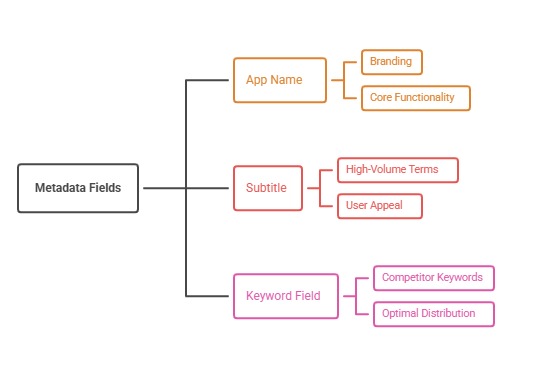
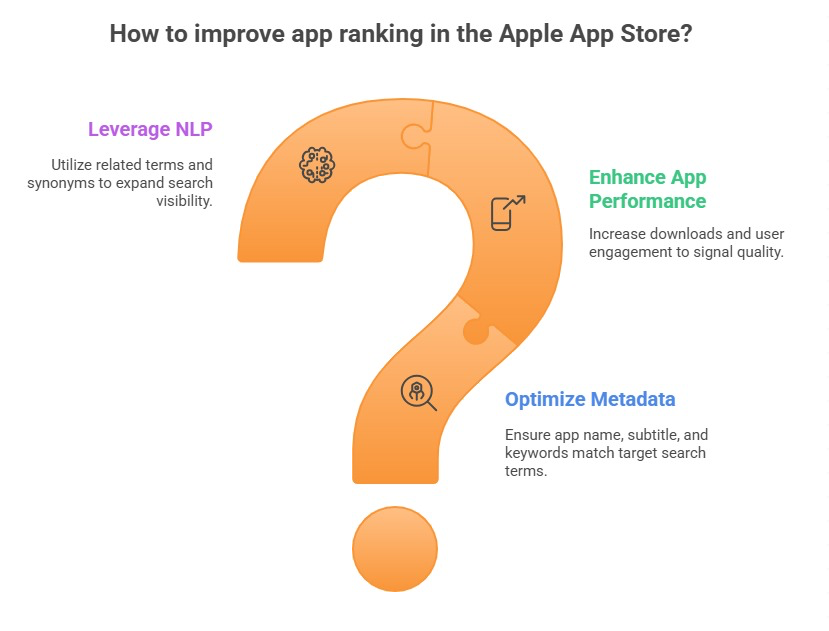
App Name and Subtitle are both search-relevant and tightly limited (around 30 characters each), making every word in them high-value. The Keyword field (around 100 characters, comma-separated with no need for repeated words already used in the name or subtitle) is private metadata used purely for search matching and never shown to users.
Promotional Text (around 170 characters) can be updated at any time without a full app review and does not affect search ranking, making it useful for time-sensitive messaging. The Description field (up to 4,000 characters) is not used for App Store search indexing, so it should prioritize persuasive, accurate explanation over keyword density.
Google Play fields
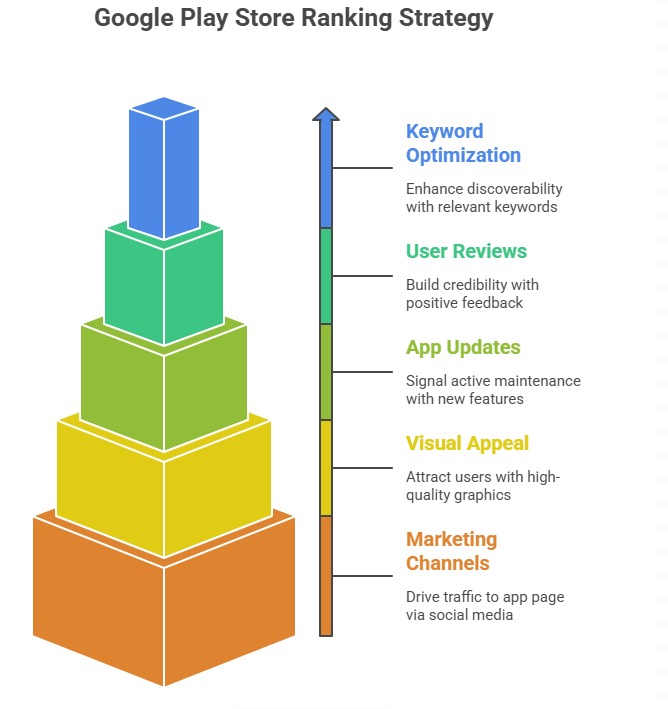
The Title (around 30 characters), Short Description (around 80 characters), and Full Description (up to 4,000 characters) are all indexed for Google Play search, so relevant terms should appear naturally across all three rather than being concentrated in one field.
Google's own guidance favors natural, readable copy over mechanical keyword density; write for a human reader first and let relevant terms appear where they genuinely describe the product, rather than targeting a specific percentage.
Asset and localization specs
Icon, screenshot, and preview video specifications (dimensions, aspect ratios, and length limits) differ by device type and have changed over time as both platforms add device categories—always generate assets against the current specification published in App Store Connect and the Play Console rather than reusing specs from an older guide.
Both platforms support localized metadata across a large number of languages and markets, with Apple and Google each publishing the current supported locale list and any per-market variation in available fields; verify the current count directly in the respective developer console before planning a localization rollout.
Why these limits change and how to stay current
Apple and Google periodically adjust field limits, add new metadata types (such as event or promotional content formats), and change indexing behavior as search algorithms evolve. Treat any third-party cheat sheet, including this one, as a starting reference and confirm exact current limits in official documentation before a launch or major metadata overhaul.
Keep a simple internal reference document updated after every confirmed platform change, so creative and localization teams are not working from outdated assumptions during time-sensitive releases.
Action plan
- Confirm current field limits in App Store Connect and Play Console before each major release
- Prioritize high-value terms in Apple's Name, Subtitle, and Keyword field
- Spread relevant terms naturally across all three indexed Google Play fields
- Write descriptions for human readers, not keyword density targets
- Regenerate assets against the current spec rather than reusing old dimensions
- Maintain an internal reference doc updated after confirmed platform changes
Metrics to monitor
- Metadata field utilization versus current limits
- Asset spec compliance rate
- Time since last internal reference update
- Rejection rate tied to metadata or asset spec issues
Record the baseline, release date, audience, markets, and external changes before interpreting movement. Rankings and conversion are useful signals, but a decision is stronger when activation, retention, and business value confirm that the page attracted the right users.
Continue the topic cluster
Use these supporting resources to move from this strategy into the next implementation step:
- Apple App Store Keyword Field: How to Use Every Character Strategically
- Google Play Keyword Optimization Without Keyword Stuffing
- Custom Product Pages on iOS: Match Every Campaign to Its Intent
- App Store Screenshot Design: A Storyboard That Converts
- App store optimization services
Frequently asked questions
Does Apple index the App Store description for search?
No—Apple's long description is not used for search indexing, so it should focus on clear, persuasive explanation rather than keyword placement.
What happens if Google Play's short description limit is exceeded?
The listing will be truncated or rejected during submission depending on the field; always validate against the live character counter in Play Console before publishing.
How often do app store character limits change?
Infrequently but unpredictably—both platforms have adjusted limits and added new metadata formats over time, so confirm current specs before any major metadata project rather than relying on memory or older guides.
Primary sources
Platform capabilities and limits can change. Verify current requirements in these official resources: